
You know that moment when you paste in a cheat code, hit “enable,” and then… nothing happens? No infinite health. No max money. Not even a dramatic crash you can blame on the universe. Just total, icy silence—like your console looked you dead in the eyes and said, “Absolutely not.”
Nine times out of ten, it’s not that the code is “bad.”
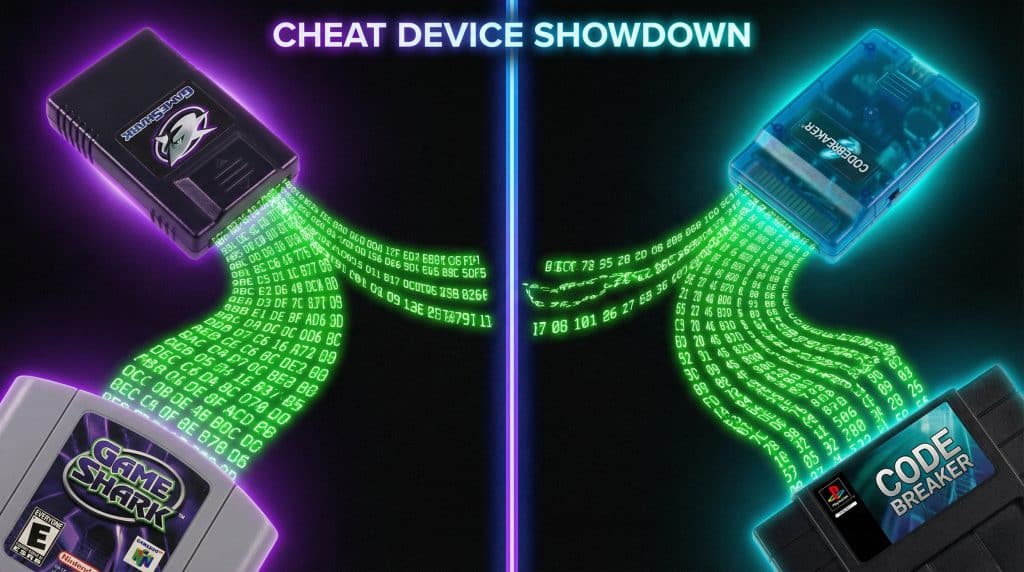
It’s that you fed a CodeBreaker code to a GameShark field (or the other way around), and those two do not speak the same language. They look similar enough to trick you (rude), but under the hood they’re scrambled differently. So your emulator/device just shrugs and moves on with its day.
Let’s fix that.
The 20 second version of how cheats work (no wizard hat required)
Cheat devices (GameShark, CodeBreaker, Action Replay, etc.) basically poke the game’s memory while it’s running.
If your health is stored at some memory address, a cheat can keep writing “99” into that spot so you don’t die. That’s why codes look like nonsense—those letters and numbers are just instructions: where to write, and what to write.
Here’s the kicker:
GameShark/Action Replay and CodeBreaker encrypt/scramble those instructions differently.
So even if two codes do the exact same thing, they can be totally incompatible because they’re “encoded” for different devices.
Translation: the cheat isn’t broken. It’s just speaking French in an Italian restaurant.
The compatibility drama: what works with what (GBA era)
This is where people get annoyed (me included). Because the names make it sound like everything labeled “GameShark” should work together, and that is… adorable.
For Game Boy Advance, the biggest relationships to remember are:
- GameShark Advance (GSA) = same format as Action Replay v3
(Different label, same “language.” Like generic cereal that’s secretly the name brand.)
- GameShark SP (GSSP) = uses CodeBreaker format
(Yes, really. This naming choice deserves jail time.)
So the quick map looks like this:
- GSA ↔ Action Replay v3 (compatible)
- CodeBreaker ↔ GameShark SP (GSSP) (compatible)
- GSA/AR ≠ CodeBreaker/GSSP (not compatible)
If you’ve been slamming CodeBreaker codes into a GSA/AR field and wondering why your game won’t give you max rare candies in FireRed… congrats, you’ve been whispering cheats into the void.
How to tell which code type you have (before you waste your whole evening)
I’m not going to pretend you can always “just tell” by staring at the code like it’s going to confess. Sometimes you can, often you can’t. So here’s my actual real life method—the one I use when I’m 12 minutes away from rage quitting:
1) Trust the label (if you have one)
If the code list says:
- GSA / AR / Action Replay v3 → enter as GameShark/Action Replay
- CB / CodeBreaker / GSSP → enter as CodeBreaker
2) Use your emulator’s dropdown like a grown-up
Most emulators that support cheats have a code type selector. Use it. Don’t freestyle this.
3) If you’re truly unsure… test it safely
Make a save state, enter it as one type, test. If it doesn’t work, switch types and test again.
I know this sounds basic, but it saves you from the classic “I spent 25 minutes enabling codes that were never going to work” situation. (Ask me how I know. Actually don’t. I’ll get defensive.)
Console by console reality check (so you don’t overthink it)
Game Boy Advance: the messiest one
GBA is the land of “all formats exist and none of them warn you.” Emulators like mGBA and VBA-M can handle both main types, but you must choose the correct code type.
On GBA, the format choice is not a suggestion. It’s a door lock.
PlayStation 2: choose the right code type or suffer
PS2 has GameShark, CodeBreaker, and also Action Replay Max floating around like confusing little gremlins.
If you’re on PCSX2, match your cheat format to whatever option it’s expecting. If your codes are labeled AR Max, treat that as its own thing and pick the AR Max option if it exists.
(And no, you’re not dumb. The PS2 cheat scene is just… a lot.)
PlayStation 1: blessedly simpler
PS1 is generally older school GameShark style codes, and emulators like DuckStation tend to play nicer once you get the basic setup right.
PS1 is that one friend who actually texts back.
My “don’t corrupt your save” routine (do this and you’ll sleep better)
If you take nothing else from this post, take this: don’t test cheats on your only save file like you’re feeling lucky.
Here’s the routine:
- Make an in game save (if possible)
- Make a save state (emulator)
- Enable one cheat at a time
- Test briefly
- If things go sideways, roll back like it never happened
Because when you enable five codes at once and the game crashes, you’ll have no idea which one caused it—and you’ll end up sitting there, staring at your screen, blaming technology like it personally betrayed you.
Also: make sure your code matches your game:
- Region matters (US vs EU can break codes)
- Revision matters (v1.0 vs v1.1 etc.)
Same game name does not always mean same memory layout. Annoying, but true.
Quick troubleshooting (aka: “why isn’t this working???”)
When a cheat fails, run this checklist:
- Nothing happens, no freeze:
You probably picked the wrong format/type… or you’re missing a required master code (“Must Be On” / “(M)”).
- Game freezes on boot:
Wrong region/revision, typo in the code, or a code that just doesn’t like your setup.
- Cheat works… then stops:
Some emulators have “continuous” vs “one time” behavior. Try continuous.
- Random crashes later:
Two cheats are fighting over the same memory. Disable everything, then add them back one by one like you’re defusing a bomb.
Most “mystery problems” are one of: wrong code type, missing master code, wrong game version, or one fat fingered character.
About converting codes (a.k.a. the “fine, I’ll do it myself” option)
Yes, it’s possible to convert between formats sometimes. The basic concept is:
decrypt → RAW → re-encrypt in the new format
Tools that get mentioned a lot:
- ARCrypt (GameShark/Action Replay side)
- CBA Crypt (CodeBreaker side)
But here’s my honest opinion: unless you love tinkering, conversion is usually the “last resort” path. For most common cheats, it’s faster to find the same code already posted in the format you need.
Convert when you have to. Otherwise, let the internet do the heavy lifting. It’s practically its love language.
The recap (so you can go be powerful)
If your cheat code is failing silently, assume this first:
- Wrong code format/type selected (GameShark/AR vs CodeBreaker)
- Missing master code
- Wrong region or ROM revision
- Too many cheats at once (conflicts)
Pick the right code type in your emulator with emulator cheat setup guide, test safely with save states, and keep a little “verified working” list for your favorite games so you’re not reinventing this wheel every time.
Now go flip that one dropdown setting and make your cheat menu regret ever doubting you.