
Nothing humbles a person faster than watching hundreds of hours of gameplay evaporate because one save file decided to throw a tantrum. It’s like dropping your phone directly into a bathtub, except the bathtub is your own hubris and the phone is your precious RPG character.
And yes, cheats get blamed for this constantly. But cheats aren’t automatically cursed. They’re not tiny digital gremlins sitting inside your PC waiting to ruin your life.
What actually wrecks save files is usually one of these:
- a cheat pushing the game into values/states it wasn’t built to handle,
- saving at the exact wrong moment (crash/power loss/force quit aka chaos),
- using a tool that hasn’t been updated since the Jurassic era (or at least since the last patch).
Let’s talk about what’s going on, what’s risky, and how to cheat without treating your main save like a disposable paper napkin.
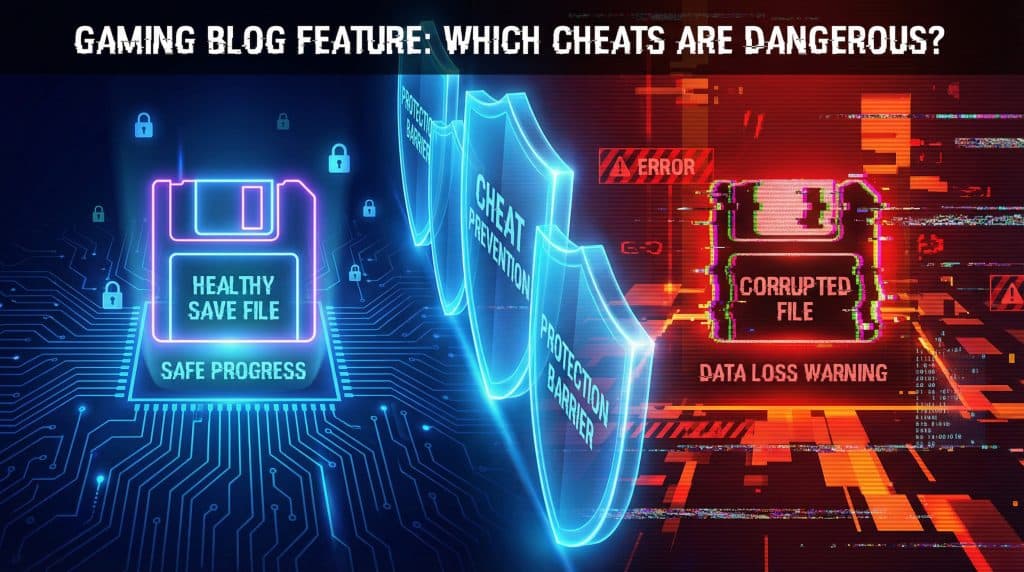
What “save corruption” really is (and why it’s your Save button’s fault)
Most cheats work by changing data in the game’s active memory while you’re playing. That part is often fine. The real “uh oh” moment is when you hit Save.
Saving is basically you telling the game:
“Hey buddy, write whatever weirdness is happening right now into a permanent file and swear it’s normal.”
Games also use things like checksums (math-y integrity checks) to confirm your save data still matches what the game expects. If a cheat creates data the game never planned for—like giving yourself 99 million gold when the game expects a max of 10 million—your checksum can fail, the game can load half broken, or it can refuse to load at all.
My personal rule of thumb:
If you could plausibly get the same result through normal gameplay (even if it’s grindy), it’s usually safer than anything that warps quests, spawns 800 objects, or edits the save directly.
The three “it was fine until it wasn’t” multipliers
Even a “mostly safe” cheat gets sketchy when you add:
- Interrupted saves
Crash, power loss, alt+F4, rage quit, cat stepping on the power strip… if the file is being written and it gets interrupted, you can end up with a partial save. - Save bloat
Spawning tons of items/entities can make the save huge and slower to write—which makes interruptions more likely and loading more fragile. (Your save file is not a storage unit. It’s a delicate little spreadsheet with feelings.) - Outdated cheat tools
If your trainer/memory editor was made for a previous patch, it may be poking the wrong memory addresses now. That’s how you get “why is my character’s hair now considered an enemy NPC?” energy.
Early warning signs your save is starting to rot (lovely!)
Your save file usually whispers before it screams. If you notice stuff like this, stop messing around and go to your backup:
- Loads suddenly take forever (or you get endless loading screens)
- New lag/stuttering that only happens on that save
- Missing thumbnails in the save menu
- NPCs/items disappear that absolutely shouldn’t
- The game crashes when loading one specific save (but others load fine)
- Weird invalid objects (classic example: Pokémon “Bad Egg” situations)
And please learn from my mistakes: don’t keep playing “just to see.” That’s how you overwrite the autosaves that could’ve saved you. The first time you notice something off, close the game without letting it autosave.
Cheat “risk ladder”: what’s chill vs what’s playing with matches
Let’s rank the chaos.
Low risk (usually)
- Cosmetic/visual tweaks (weather, camera unlocks, appearance)
- Speed modifiers
- Stuff that doesn’t permanently write weird data into the save
These are the “I want vibes” cheats. I respect them.
Medium risk
- Small resource boosts (money/XP) within normal-ish ranges
Doubling or tripling currency/XP often stays inside the game’s expected boundaries. But once you go full “infinite everything” or 50x multipliers, you start slamming into caps and breaking logic. Your save file does not care about your power fantasy.
High risk
- Item spawning
- Entity creation
- Quest skipping / state forcing
This is where you get bloated saves, missing quest flags, NPCs stuck in limbo, and story progress that looks like Swiss cheese.
“Almost guaranteed trouble” territory
- Memory editors (ex: Cheat Engine) used carelessly
- Save editors that don’t correctly handle checksums / validation
- Trainers that aren’t updated for the current patch
These can write nonsense into your game’s reality and can bring cartridge bricking dangers and then politely ask the save file to pretend it’s normal.
Games that are extra dramatic about cheats (a.k.a. “known troublemakers”)
Some games are just… touchier with Pokémon Silver GameShark tricks.
- Pokémon: invalid data can become “Bad Egg” entries (iconic, in the worst way).
- The Sims 4: huge saves (think 100MB+) get more fragile over time—especially with lots of content and chaos.
- Bethesda games (Skyrim/Fallout): removing mods mid playthrough is basically asking your save file to free solo a mountain with no rope.
Also: the riskiest window is often right after a game patch, before cheat makers update tools for the new memory layout. If you cheat within 72 hours of a patch, you’re braver than me.
My “cheat without crying” routine (do this once and you’ll feel invincible)
Here’s what I do when I’m about to try something spicy.
Step 1: Find your save folder (yes, you have to)
On Windows, saves are commonly in:
Documents\My Games\[GameName]\SavesDocuments\[Publisher]\[Game]\Saves(hello, Sims)%AppData%or%LocalAppData%(some games get creative)
If you can’t find it, search your PC for the game name + “Saves,” or look up “[Game Name] save file location.” It’s not glamorous, but neither is rebuilding 80 hours of progress.
Step 2: The pre-cheat checklist (non-negotiable, sorry)
- Google the cheat + “corrupt save”
If you see a bunch of recent horror stories, just… don’t. Your curiosity is not worth it. - Make a manual backup of the whole save folder
Copy/paste it somewhere safe and name it with the date, like:
MySave2025-12-24PreCheat - Temporarily turn off cloud sync (Steam/console/whatever)
Because a bad local save syncing over your good cloud save is a special kind of heartbreak. - Test on a separate save slot
Your main save is not your science experiment.
Skipping backups is like painting without drop cloths: you might get away with it, but if you don’t… you’re going to be mad at yourself for a long time.
How to actually turn cheats on (without detonating everything)
This is the part where you resist the urge to enable twelve things at once like you’re launching a rocket.
- Turn on ONE cheat at a time
- Play 10-15 minutes before saving
Fast travel, open menus, talk to NPCs, do normal actions—make the game “touch” multiple systems. - Don’t interrupt saving
If it looks stuck, wait longer than you think you should. Force quitting mid write is how saves get shredded. - Do a full restart test
Save, exit the game completely, reopen, and load the save again. That reload is where a lot of corruption reveals itself.
The three slot system (my favorite “stop future me from suffering” trick)
If you do nothing else, do this.
- Slot 1: Main save (your real playthrough)
- Slot 2: Test save (all new cheats go here first)
- Slot 3: Backup save (a clean copy from before you got chaotic)
Try a new cheat on Slot 2 across a couple sessions. If it’s stable, then decide if it’s allowed into Slot 1 like a well behaved houseguest.
Okay, it corrupted. Now what?
First: breathe. Second: stop saving. Third: here are your best moves, in order.
- Restore your manual backup
Close the game, remove the corrupted save, copy your backup folder back in. (Sometimes you’ll need to match file names—depends on the game.) - Check cloud version history
Steam Cloud / console cloud saves sometimes keep older versions. It’s not guaranteed, but it’s worth checking. - Look for in-game recovery options
Example: The Sims 4 has “Recover Save,” which can roll back earlier versions. - Try community repair tools—on a COPY
Some games have fan made repair utilities. Run them on a duplicate of the corrupted save, not the original. If nothing changes after a few tries, it may be unrecoverable.
If the save is truly toast, see if you can salvage characters/builds/assets (some games let you export/import) and start fresh without losing everything.
The whole point: cheat like a responsible menace
You don’t have to choose between “never cheat” and “live dangerously and lose your save every third Tuesday.” Most corruption disasters come down to rushing, not backing up, and using tools that don’t match your game version.
So here’s your marching order:
- find your save folder,
- back it up,
- test cheats in a sacrificial slot,
- keep cloud sync off until you confirm everything loads clean.
Now go make a backup—then break the game responsibly.